How
A protein floor, and a day built to clear it.
Built around protein, because protein is the lever that protects muscle while you lose fat. Why that matters →
The floor
Your protein floor is the daily minimum that protects muscle while you lose fat.
It comes from three inputs and only three: your height, which sets the baseline; the approach you’re taking; and how often you train. Nothing else moves it — not the day you’re having, not what you ate yesterday.
You see it before you make an account. Three questions, then the number.
What you never eat
Two lists, set once.
Right after you sign in, Alongside asks two things it will not ask again.
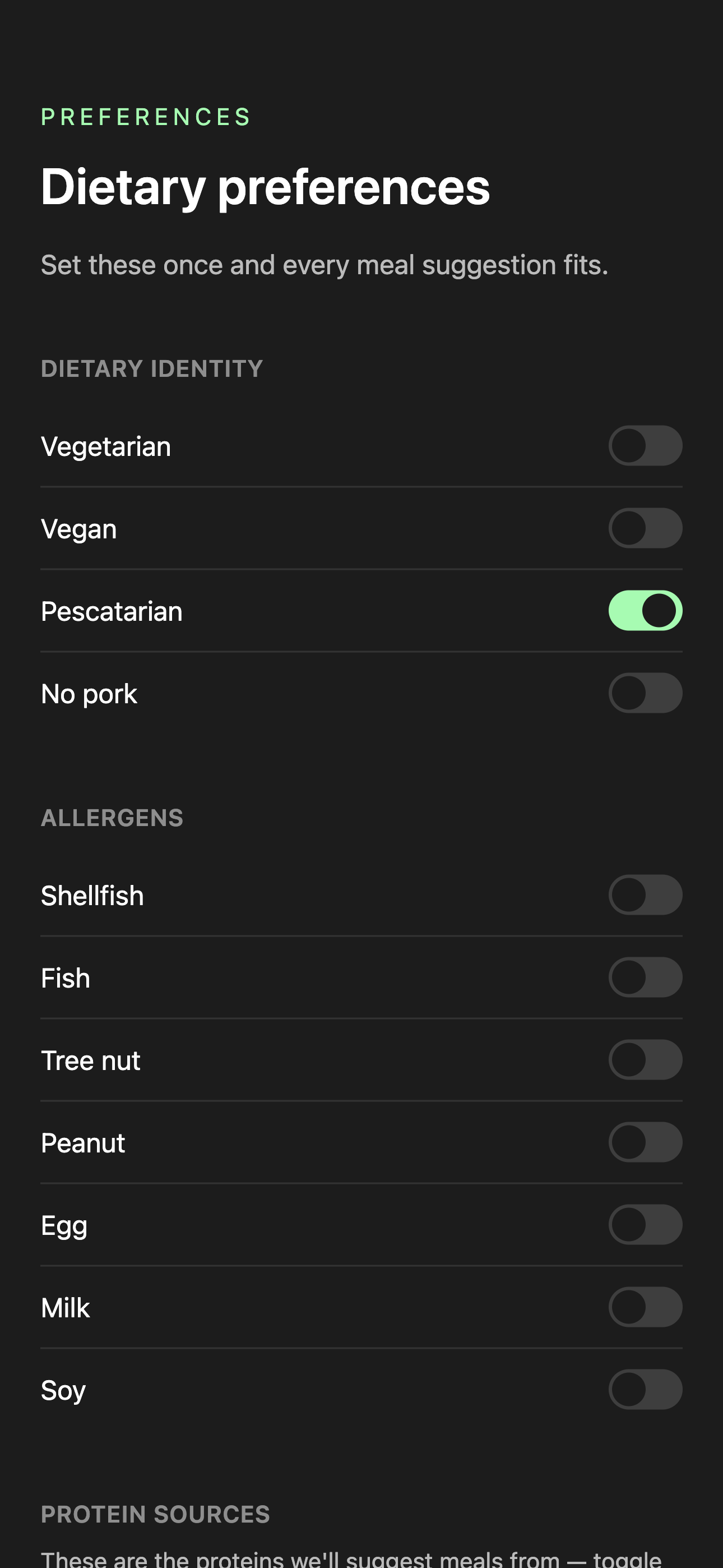
First, any diet or allergies. Tap what applies and those proteins come off your list before anything is suggested.
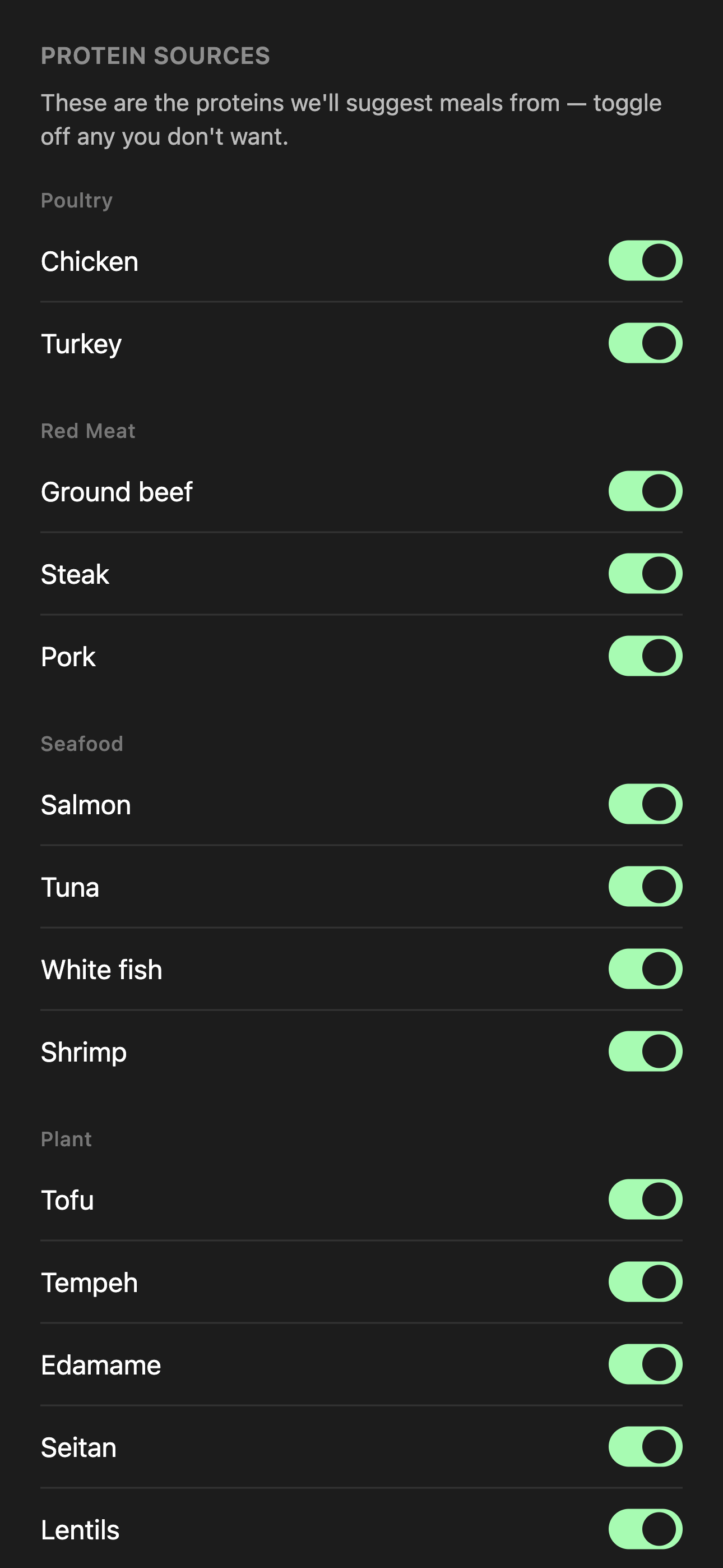
Then the proteins themselves. Everything is on to start with, so you’re only turning things off — and off means never, not less often. A protein you turn off never appears in a plan.
Both live under Preferences, top right, and you can change either at any time.
What you have today
One list that adapts as necessary.
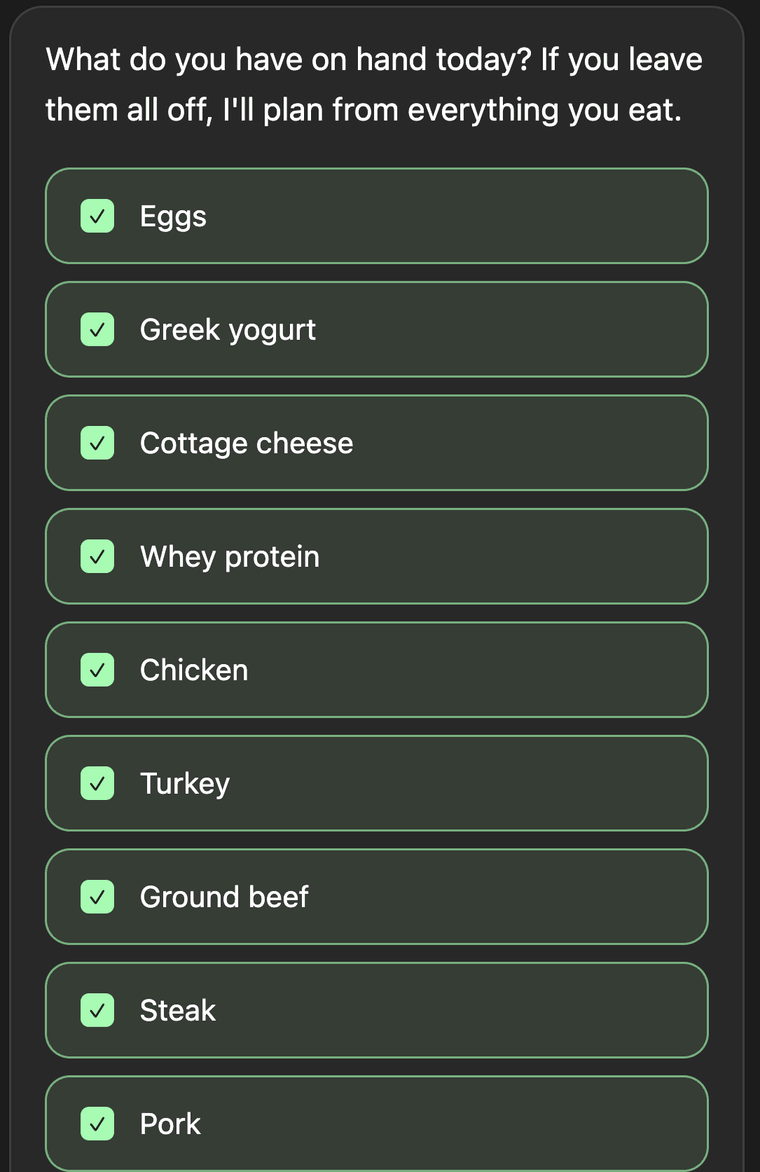
Each morning Alongside asks what you actually have. Everything starts ticked; you untick what’s missing. The plan is then built only from what’s left — which is the difference between a plan you can cook tonight and one you can’t.
It takes a couple of taps, and yesterday’s answer is already ticked for you.
The day’s shape
A few quick questions, every morning.
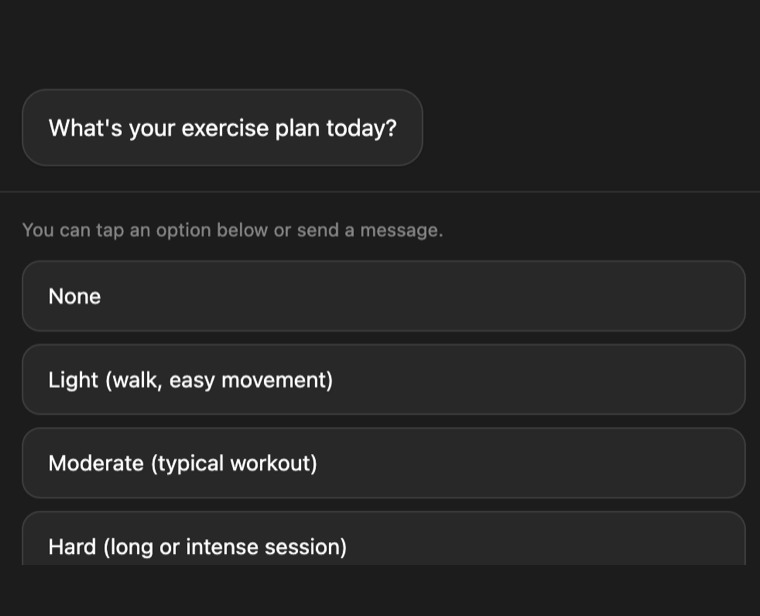
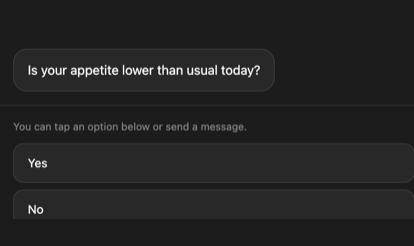
Your exercise plan, what protein you have on hand, and — if you’re on a GLP-1 — how your appetite is today.
A hard session can size the day up. A low appetite spreads it into smaller meals. The floor doesn’t move either way: what changes is the shape of the day, not the number it has to clear.
The plan
Your day, built from what you said.
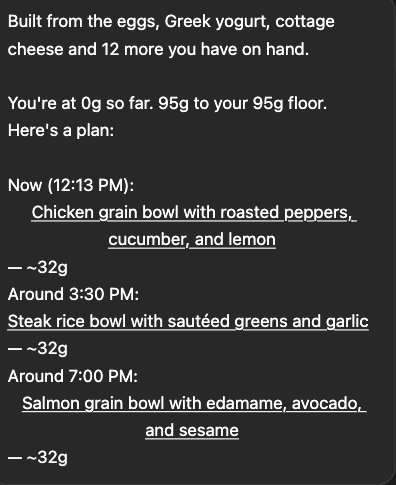
Then the plan. It opens by telling you where you stand — “You’re at 0g so far. 95g to your 95g floor.” — and lists the meals that clear it.
Above it sits one line naming what it was built from: “Built from the eggs, Greek yogurt, cottage cheese and 12 more you have on hand.” That line only appears when your morning answers actually narrowed things. If you have everything in, there is nothing to say and it says nothing.
Meals are spaced a few hours apart, with the last by 8pm — and if there isn’t enough day left to reach your floor, it says so.
Quick Prep
Tap a meal to cook it.
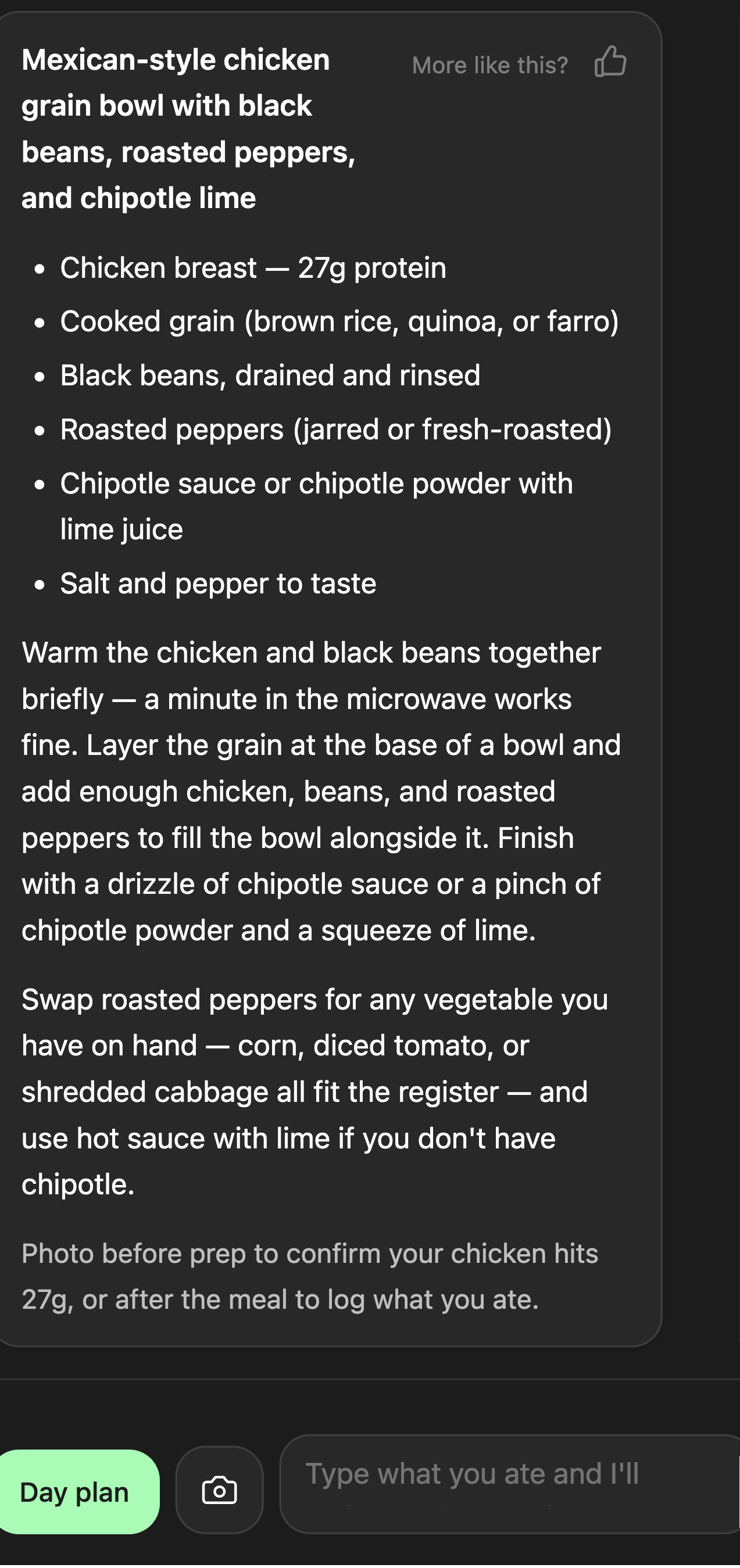
Tap any meal in your plan and you get Quick Prep — the ingredients with the protein weighed out, a few lines of method, and a note on what to do if you’re missing something.
Don’t have something? Tap Swap, pick what you want out, and the meal adjusts instantly. Your protein food stays put.
Recipe-light on purpose: enough to cook from, nothing more. It closes by pointing at the camera — a photo before prep checks the protein, one after logs what you ate.
Logging
Logging a meal
Snap your plate, or type what you ate. Alongside reads the protein and shows you its estimate with a stepper — nudge it up or down, then Confirm.
Then it asks one thing: Log it, or Considering. Log it if you ate it — your total moves and the rest of the day re-sizes around what’s left. Considering if you were only checking: nothing is logged, and your plan stays as it was.
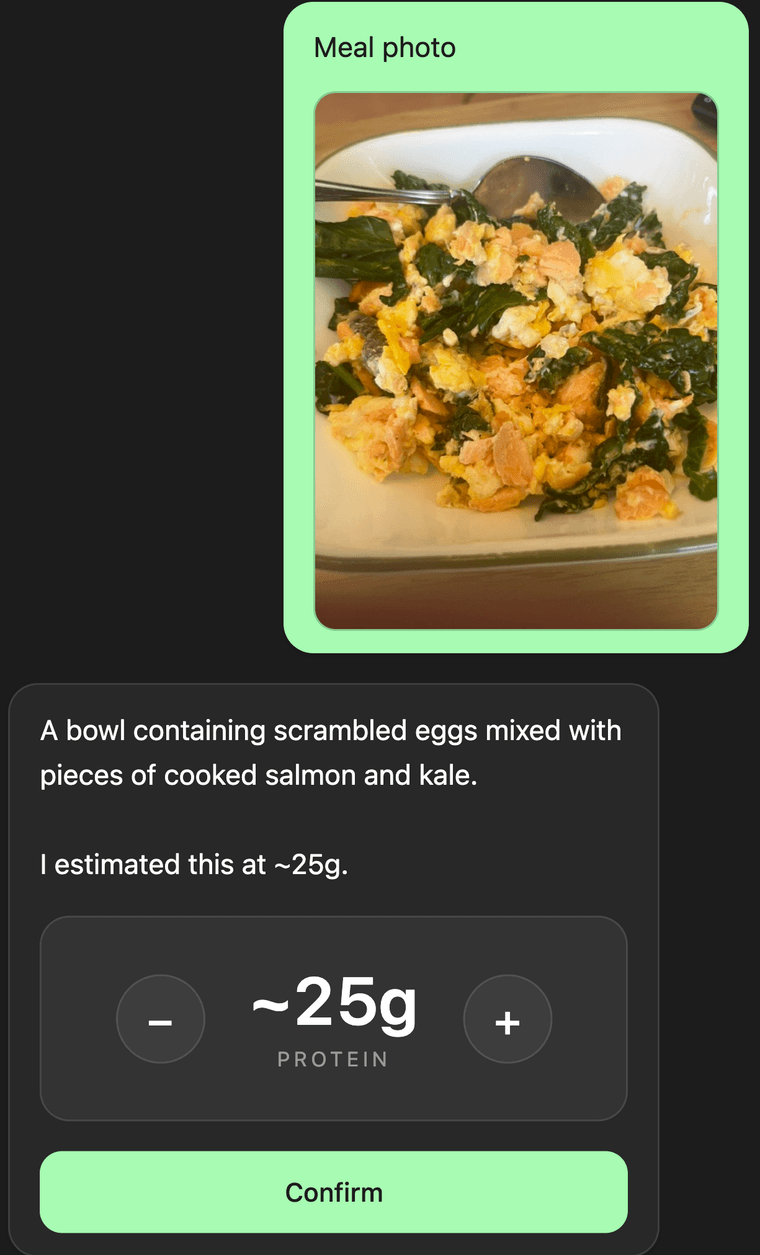
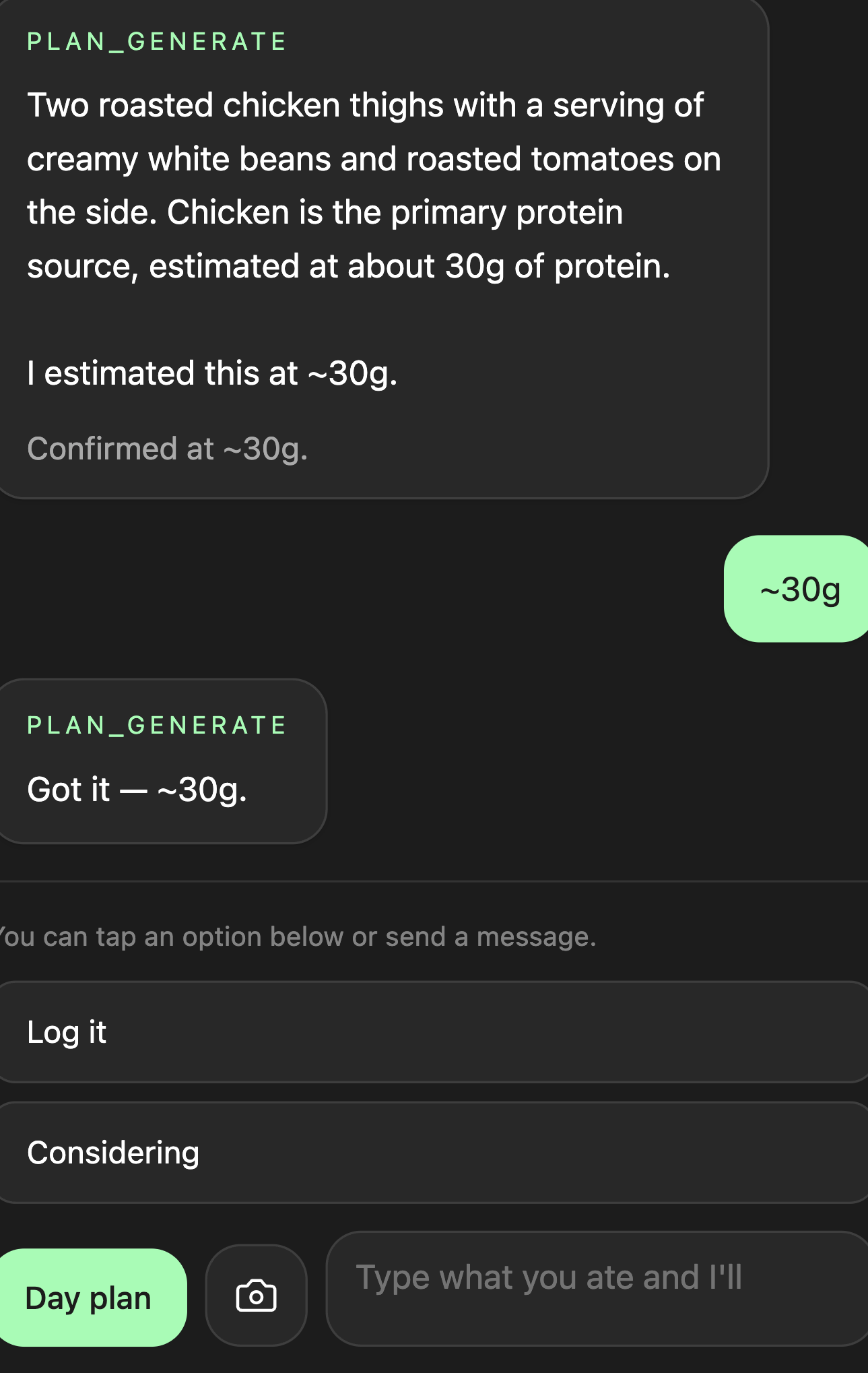
Still tracking. Just without the spreadsheet.
Trends
The longer view.
How consistent your protein has been across the week, where the patterns are, what's working and what isn't. Useful when you want it. Ignorable when you don't.
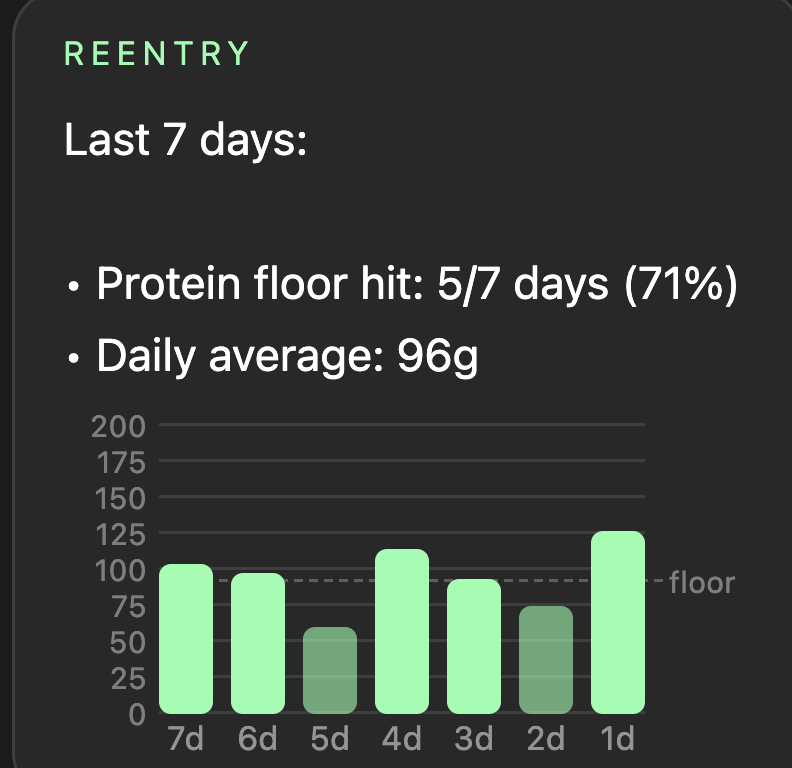
Each bar is a day's protein. The dashed line is your floor.
Sign up
Consent before anything is stored.
Signing up is one tap with Google — no password to make or remember. The same screen carries the consent step: you agree to the Terms & Conditions and Privacy Policy before anything is stored.
One bar for the day. Two icons for everything else. A floor doing the work underneath. That's the whole app.